Open Regedit..
Hkey-current-user\ software\seagull scientific\Librarian\File Dialog
Create new registry value...
Name- Use Windows Dialog
Type- REG_DWORD
Data-0x0000001(1)
-----====----
Open Regedit..
Hkey-current-user\ software\seagull scientific\Librarian\File Dialog
Create new registry value...
Name- Use Windows Dialog
Type- REG_DWORD
Data-0x0000001(1)
-----====----
Click the Windows Start button, then "All Programs" and "Accessories."
Right-click on "Command Prompt" and choose "Run as Administrator."
Type "nslookup %ipaddress%" in the black box that appears on the screen, substituting %ipaddress% with the IP address for which you want to find the host name.
---------------------------------------------------------------------
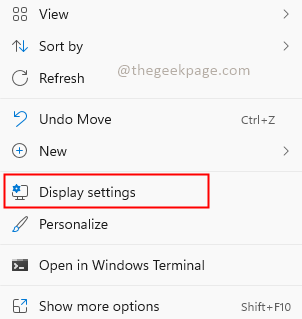
Step 1: Right-click on desktop and select Display settings.
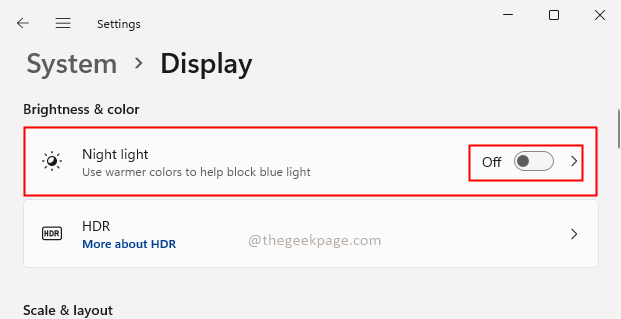
Step 2: In the Display settings, check if the Night light feature is turned off. If it is not turned off, click on the toggle button to turn it Off.
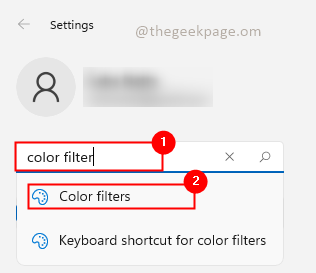
Step 3: Search for Color filters in the search bar of settings.
Step 4: Check whether the Color filters option is turned On. If Yes then disable it to turn off the Greyscale filter or other color filters which is selected. If No then turn it On and Off. If there is any glitch in the system turning it On and Off will override the settings.
